CXOrelay for Azure DevOps — Overview
What CXOrelay does
CXOrelay is the evaluation engine and notification delivery service for the CXOsignal product family. It runs as an Azure DevOps dashboard widget, periodically scanning all registered CXOsignal widgets, evaluating their configured signal conditions, and sending alert emails to the right people when those conditions are met.
What you need
- An Azure DevOps organization with at least one project
- A person with the ADO Organization Administrator role to install the extension
- Help from an IT admin who will set up a “service account” with an email address that CXOrelay will use to deliver notifications
- A dedicated always-on machine to host the relay dashboard
How it works
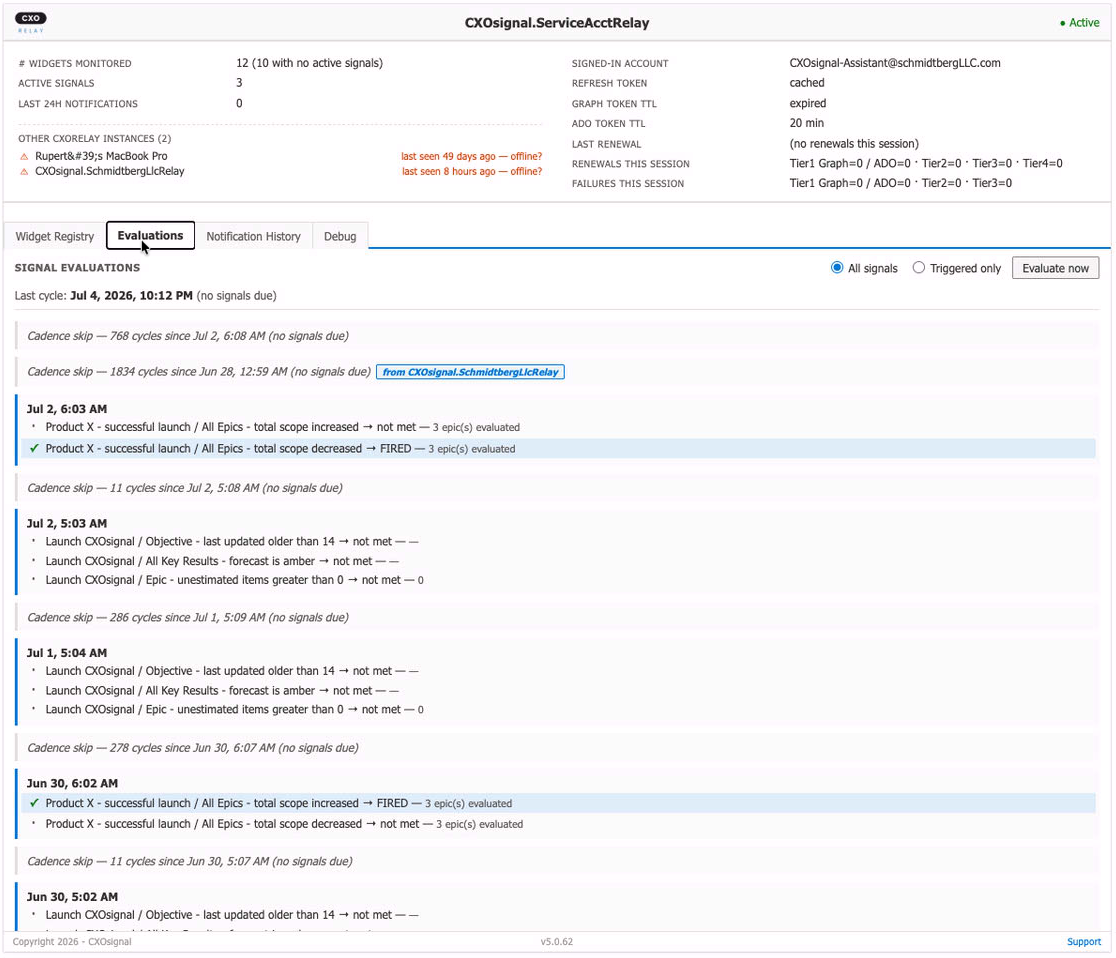
CXOrelay's evaluation cycle is driven by the ADO dashboard's built-in auto-refresh, which fires every 5 minutes. Each refresh cycle triggers CXOrelay to:
- Scan the registry of all CXOsignal widgets in your organization
- Read the latest ADO data for each widget
- Evaluate every enabled signal condition against that data
- Send an alert email to the configured recipient group when a condition is met
- Record the result in a Notification History log visible to administrators
No server, background service, or custom timer is involved — the ADO dashboard auto-refresh is the heartbeat. From your end users' perspective, CXOrelay is invisible: they configure signals in their widget and receive an email when something needs their attention.
The always-on requirement
CXOrelay runs entirely inside Azure DevOps. Its evaluation loop runs only while the dashboard is open in a browser. Think of it like a smoke detector that only works while the power is on: the browser tab is the power.
This means CXOrelay must be placed on a dedicated, always-on dashboard — typically a laptop or workstation reserved for this purpose, running a browser that is never closed. Running two relay instances on two separate machines eliminates any single point of failure. If one goes offline, the other continues evaluating without interruption. The CXOrelay design ensures every alert is delivered exactly once even when multiple instances are running simultaneously.
Email delivery
Out of the box, CXOrelay evaluates signals and records results in its log, but does not send emails until a one-time setup step is completed. Email delivery uses your organization’s own Microsoft 365 / Exchange Online infrastructure. Alert emails are sent from a “service account” mailbox you control. The full setup procedure is in the Installation Instructions.