Epics are your Solution Hypothesis
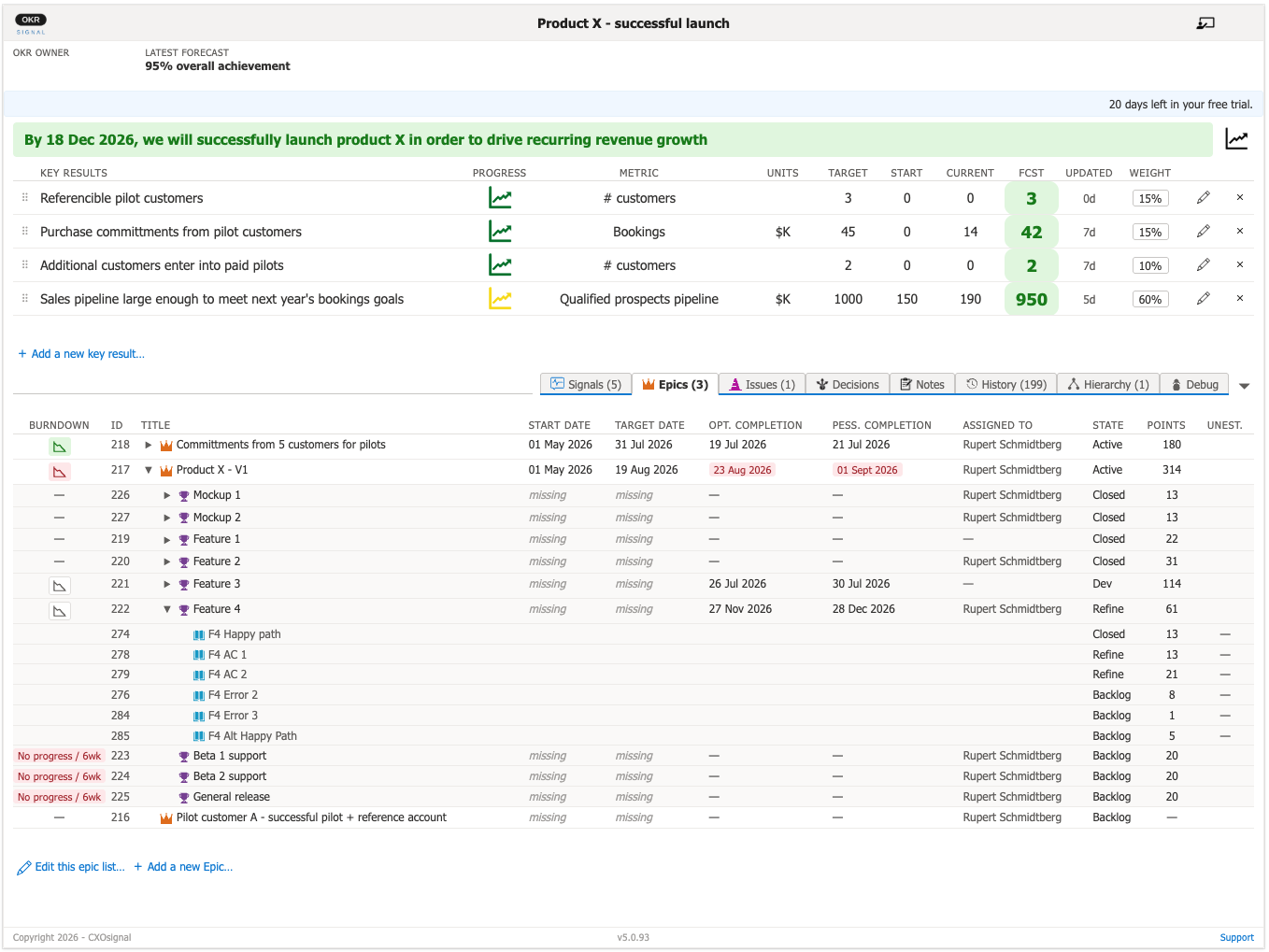
The Epics tab shows you the delivery work (Epics) needed to achieve the OKR. Epics are shown in the same priority order as in Azure DevOps Boards. This list of Epics is often called the "Solution Hypothesis" because it is the list of things you think needs to be done or built to achieve the OKR.
Part of being a responsive, agile organization is continuously checking if the Epics that form the Solution Hypothesis are having the intended impact. To make this easier, we strongly suggest that you explicitly state the intended impact for each Epic on your Key Results.
As soon as you discover that one or more Epics are not having the intended impact, you need to assess whether your Solution Hypothesis is correct and whether you need to pivot to another Solution Hypothesis with a higher likelihood of achieving the OKR.
How Epics connect to OKRs
OKRsignal links Epics to an OKR by adding a tag with the OKR's title to the Epic. OKRsignal allows you to connect existing Epics or create entirely new ones. No manual tagging is required. OKRsignal manages the tags for you.
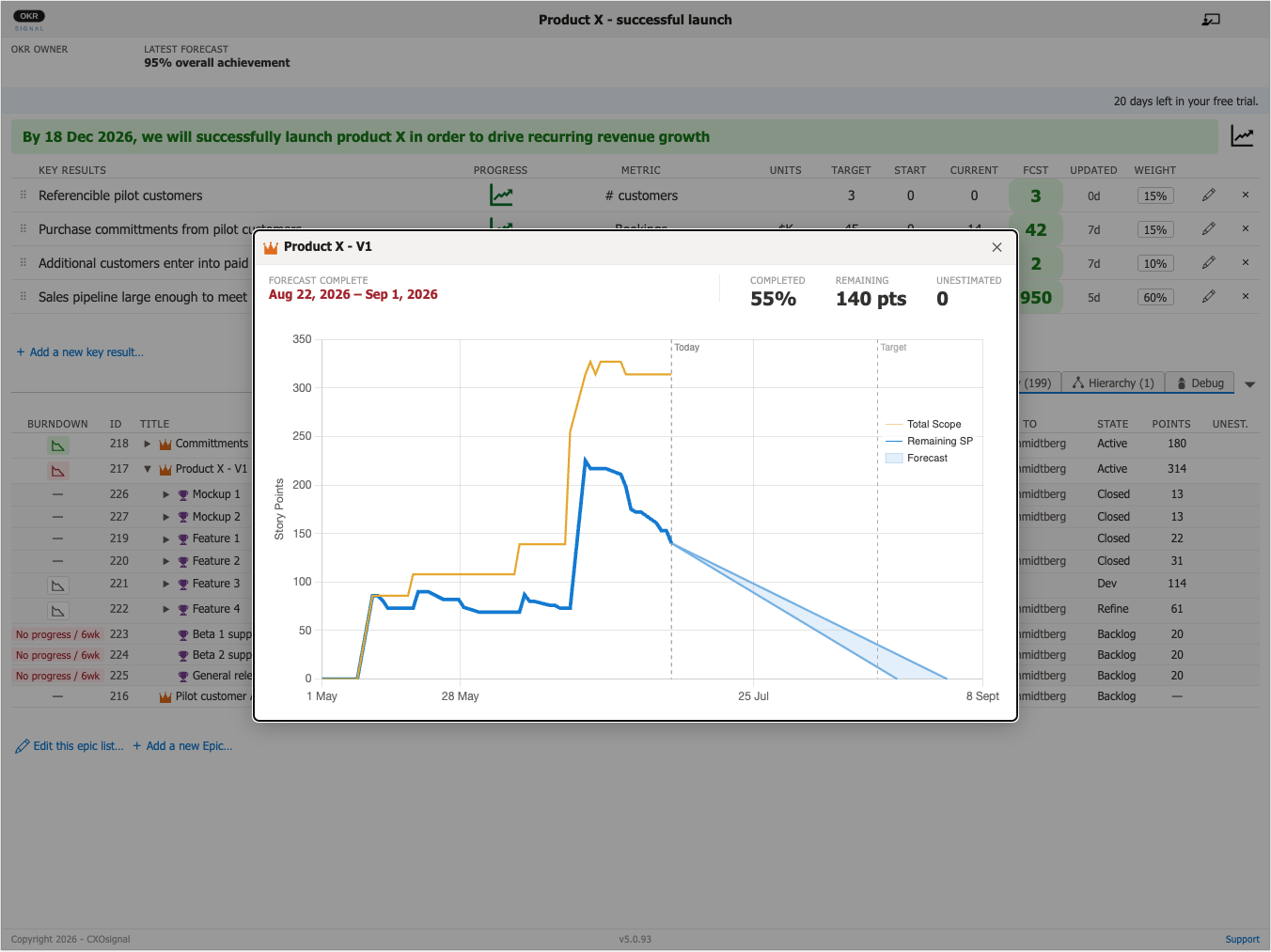
Once connected, each Epic appears as a row in the Epics tab. For each Epic, you can see its current state, story point total (rolled up from its child Features and Stories), the Epic Owner, and target completion date. OKRsignal also generates an optimistic and pessimistic completion forecast for each Epic using the total amount of remaining work, your team's historical velocity, and the velocity variance that you set in OKRsignal's configuration panel. Whenever you refresh either the browser page or dashboard, OKRsignal reads all the Epic hierarchy data from Azure DevOps Boards and updates the optimistic and pessimistic completion forecasts. These forecasts are shown graphically on the Epic Burndown chart.