OKRsignal proactively alerts you when there is a problem so you can spend your time guiding corrective actions - not wading through reports and sitting in meetings to see if there is a problem!
Who wants to constantly log in to a dashboard and then try to figure out if everything is ok? OKRsignal uses your "I want to know when …" criteria (Signals) to notify you the minute something needs your attention.
OKRsignal is a dashboard extension for Azure DevOps that allows you to create, update and monitor:
- The OKRs that define the impact your projects are expected to have on your business
- The Epics and Features that represent the things you believe need to be done to achieve an OKR
- The Issues that are impeding progress and need to be promptly resolved
Whenever any of these starts going off track, OKRsignal immediately notifies the people responsible AND recommends corrective actions. You can set policies to escalate any issues that don't get resolved in a reasonable amount of time.
Features & Benefits
Feature 01
Executive email alerts
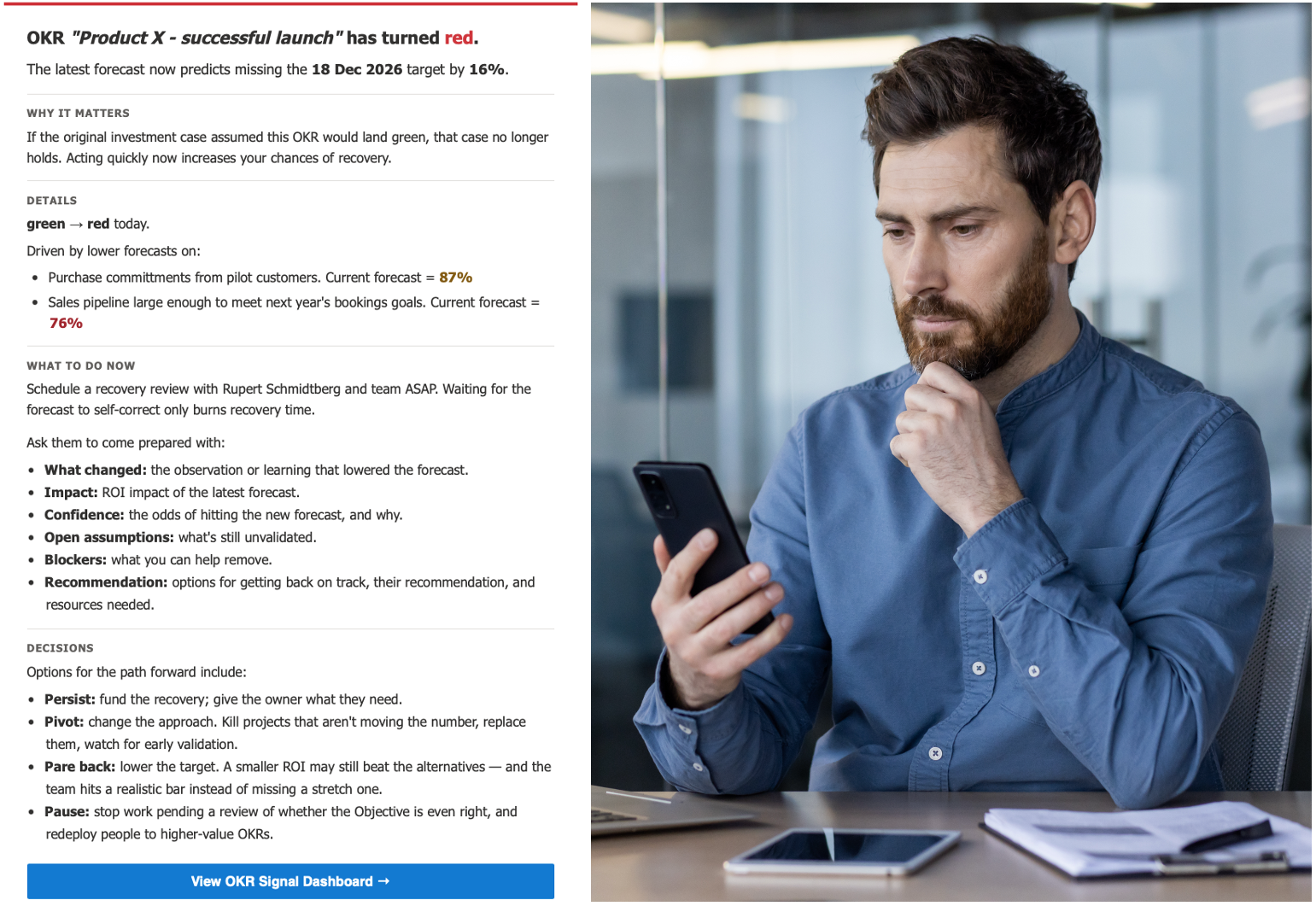
OKRsignal proactively sends you an email notification the moment something needs your attention. Each alert explains why it matters along with a set of corrective action options. Configurable recipients, thresholds, and escalation policies mean every leader gets exactly the signal they need.
Feature 02
OKR visualization
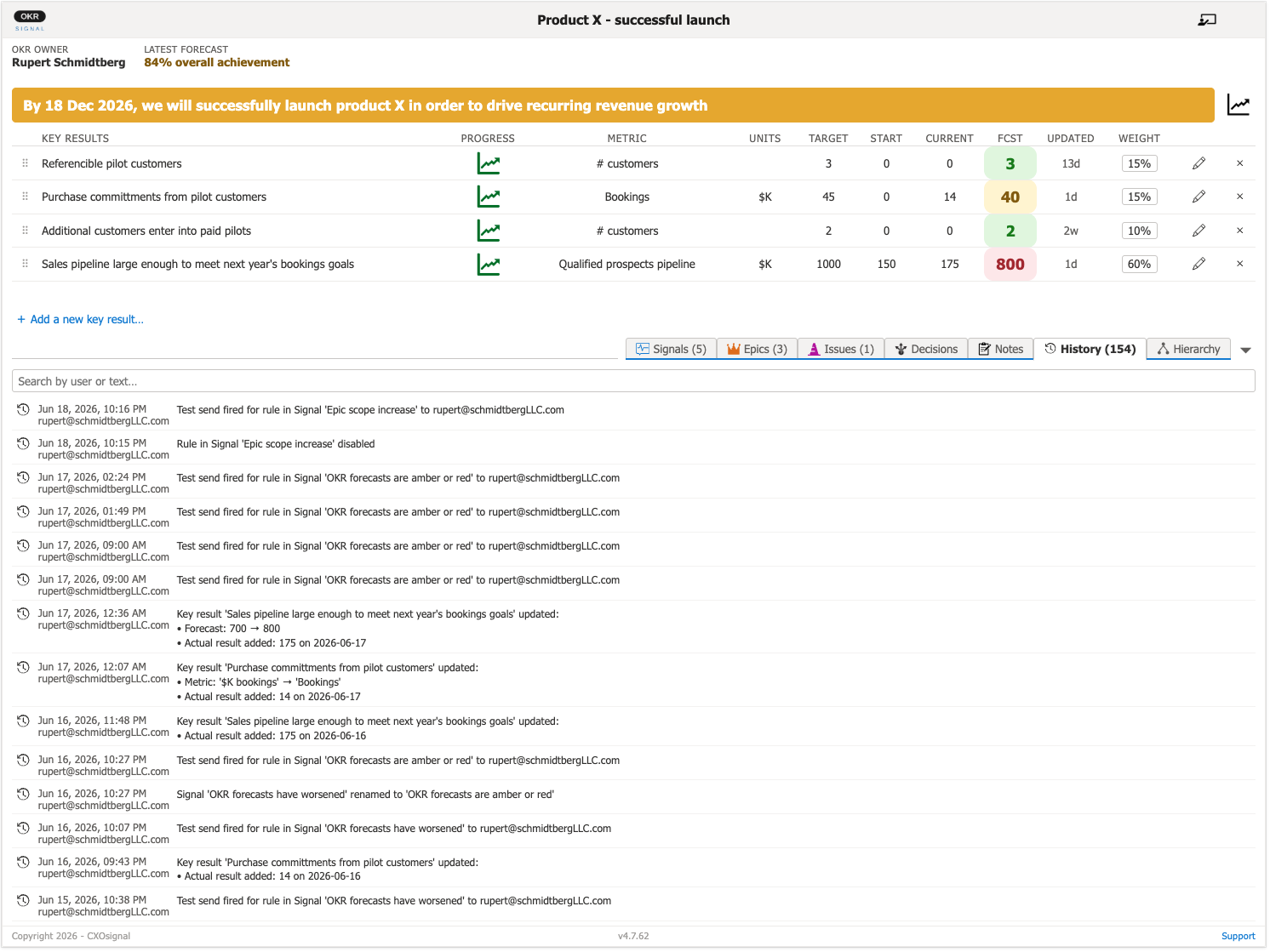
The OKR Dashboard is where people (typically an OKR Owner or OKR Shepard) capture and update OKR data. Color coded health indicators immediately show whether the overall Objective or any of its Key Results are in trouble. OKRsignal includes unlimited free read-only Stakeholder licenses, allowing anyone to view the dashboard.
Feature 03
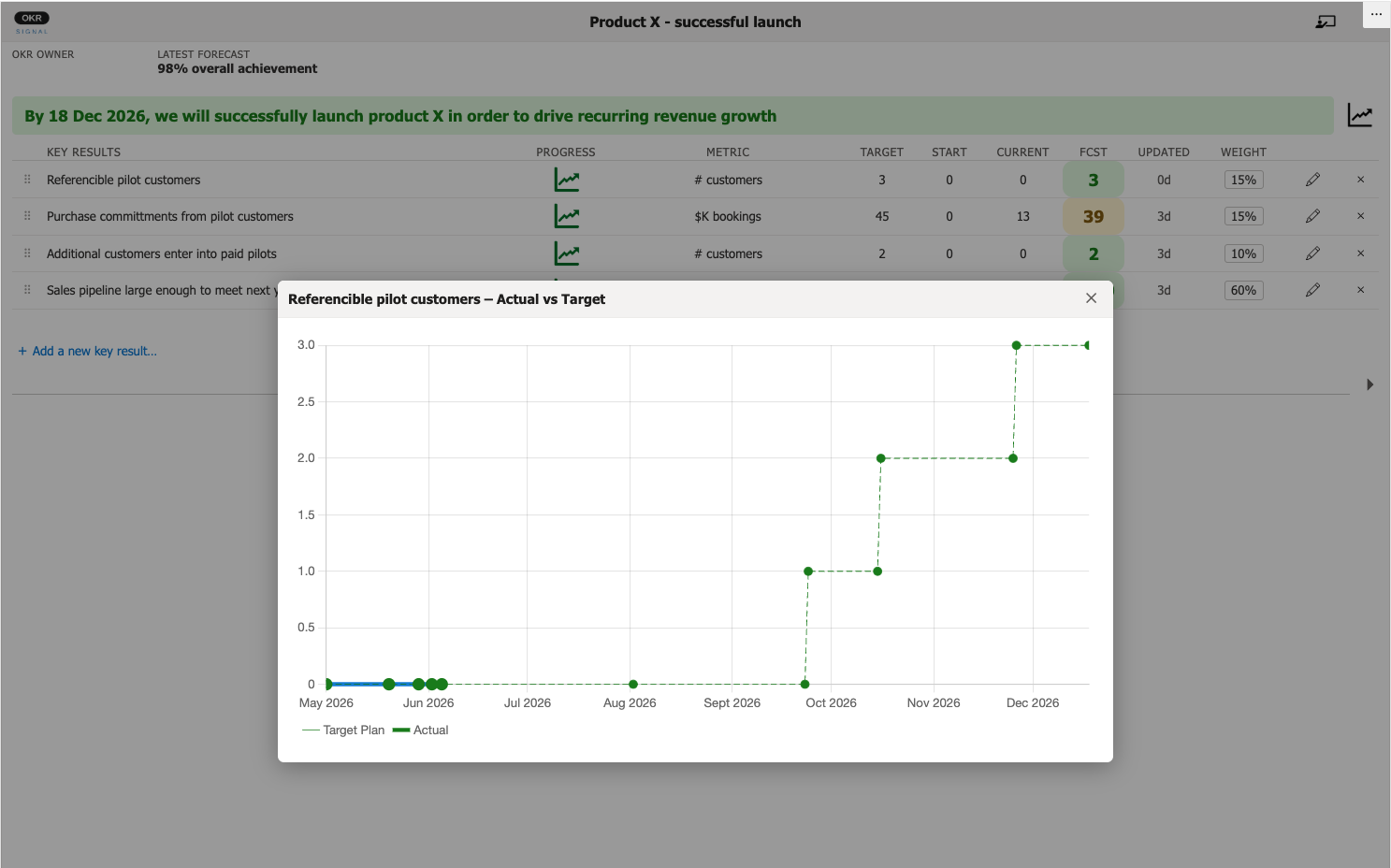
Key Result target plans
In addition to tracking forecasts for Key Result attainment, OKRsignal lets you define how each Key Result is expected to improve over time. Checking YTD progress for a Key Result often enables better forecasting.
Feature 04
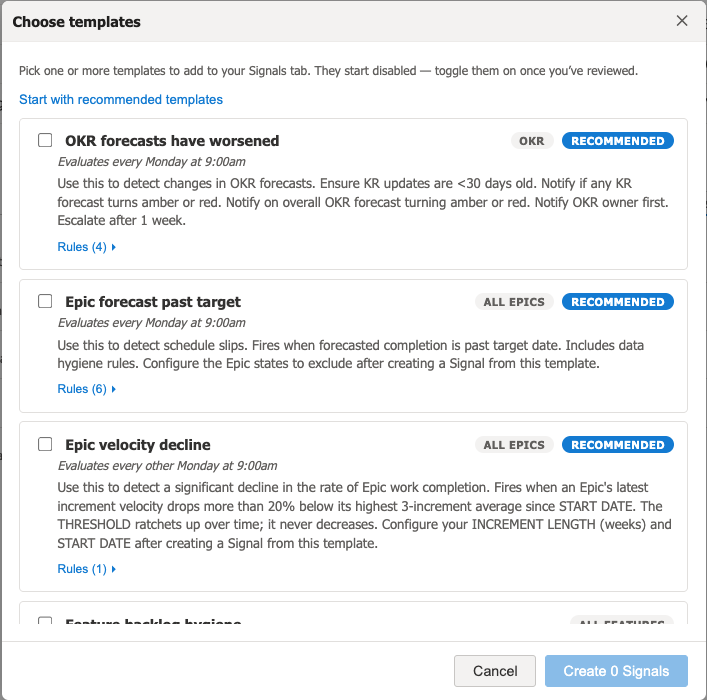
Preconfigured Signal templates
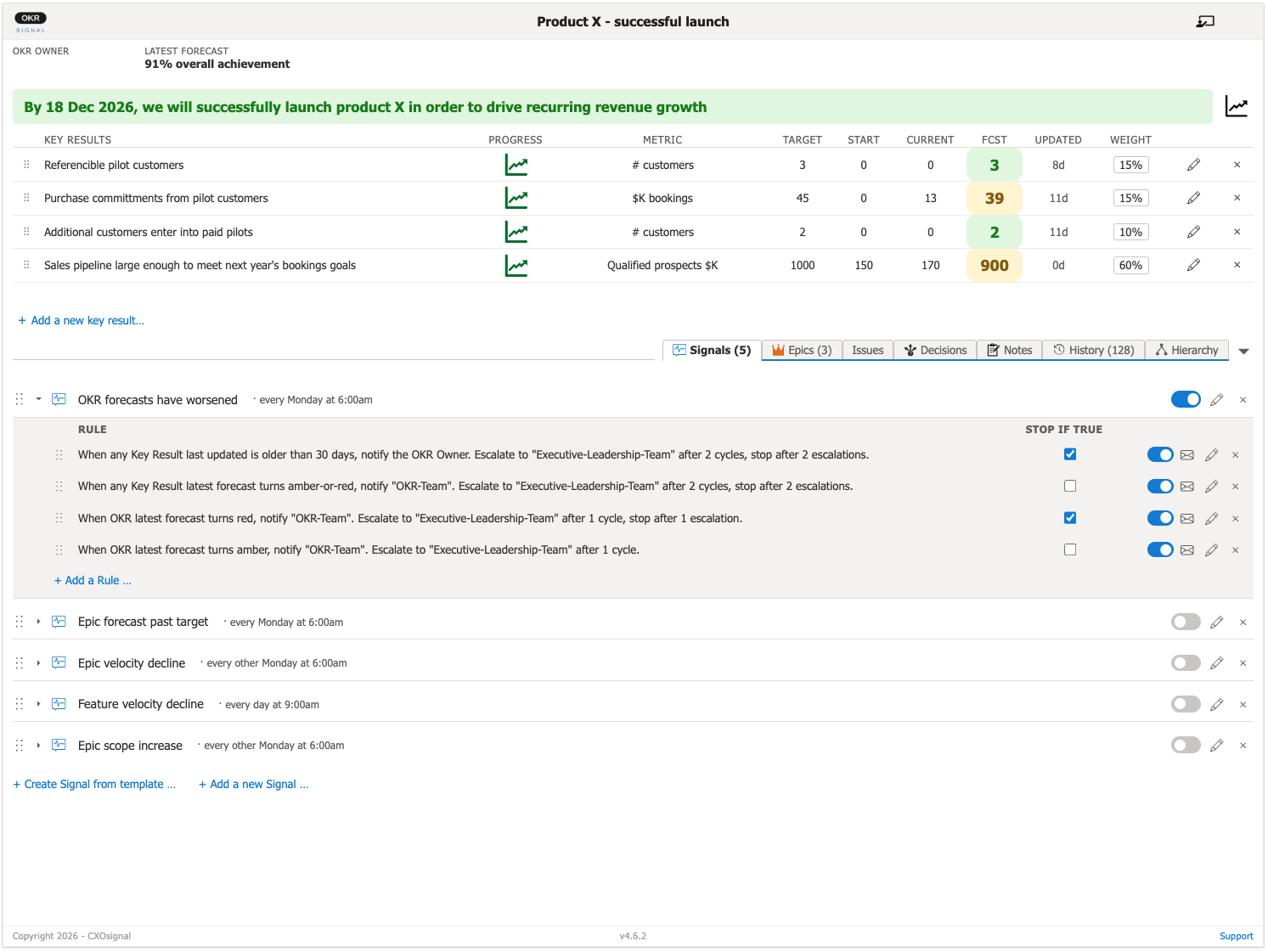
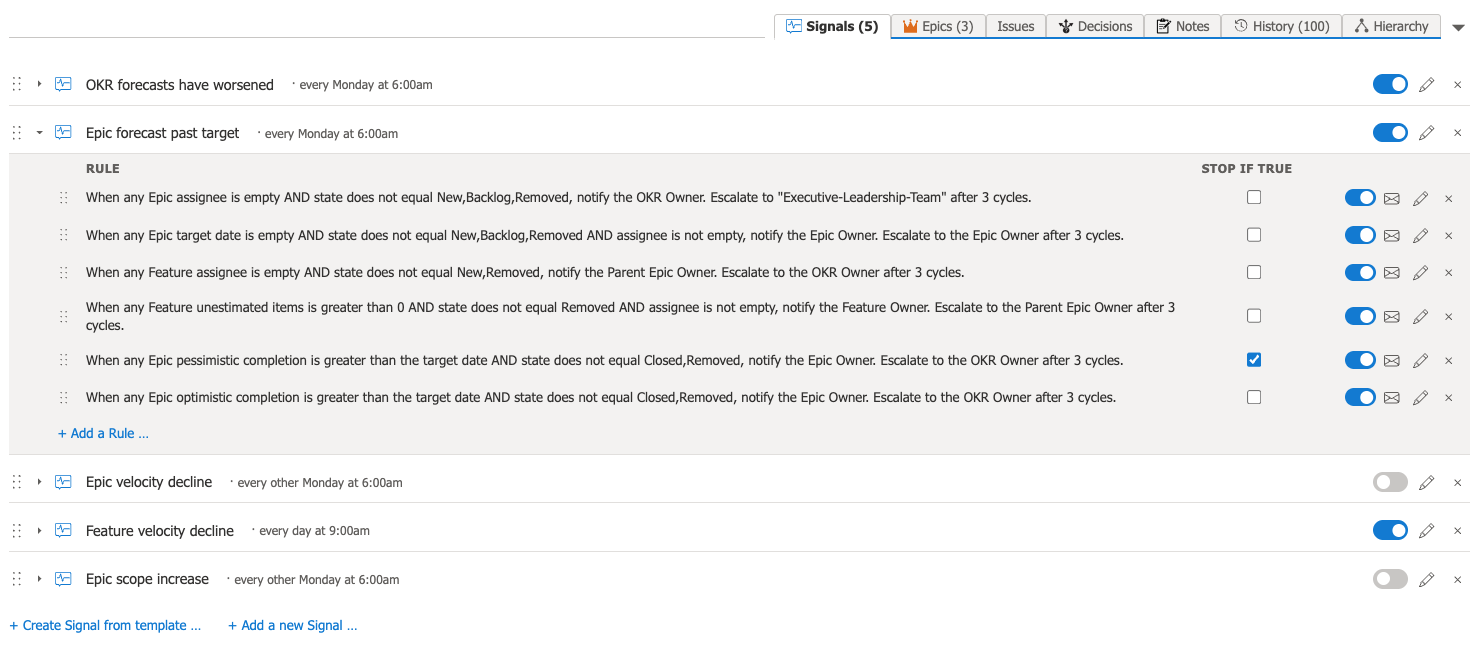
Not sure what notification Signals you'll want? No problem. OKRsignal has a full library of templates along with a "start with these" recommendation. After you copy a template onto your Signals tab, you can easily modify it.
Feature 05
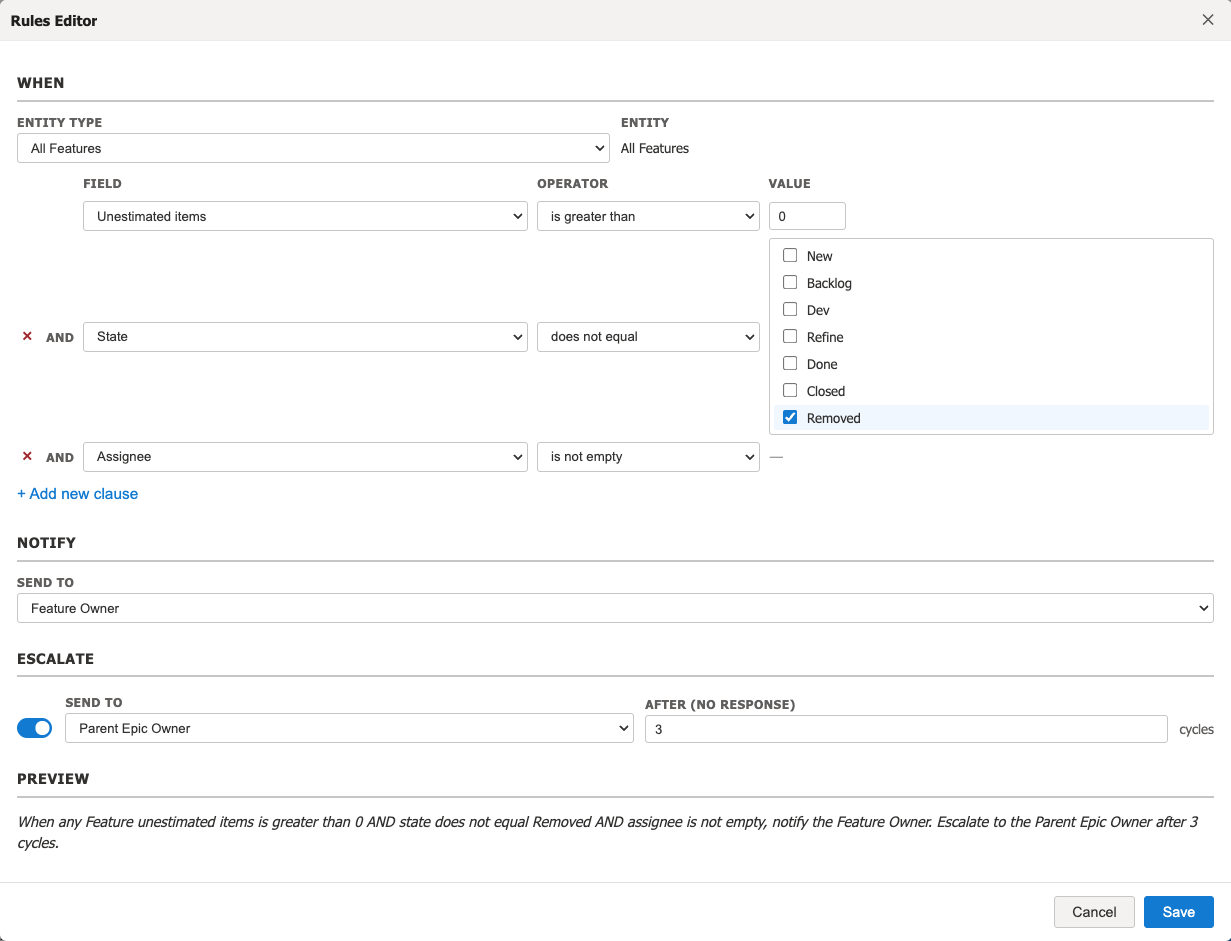
Custom Signals and notification rules
In addition to using Signals from our library of standard Signal templates, you can create your own Signals with custom trigger criteria, notification rules, and escalation policies.
Feature 06
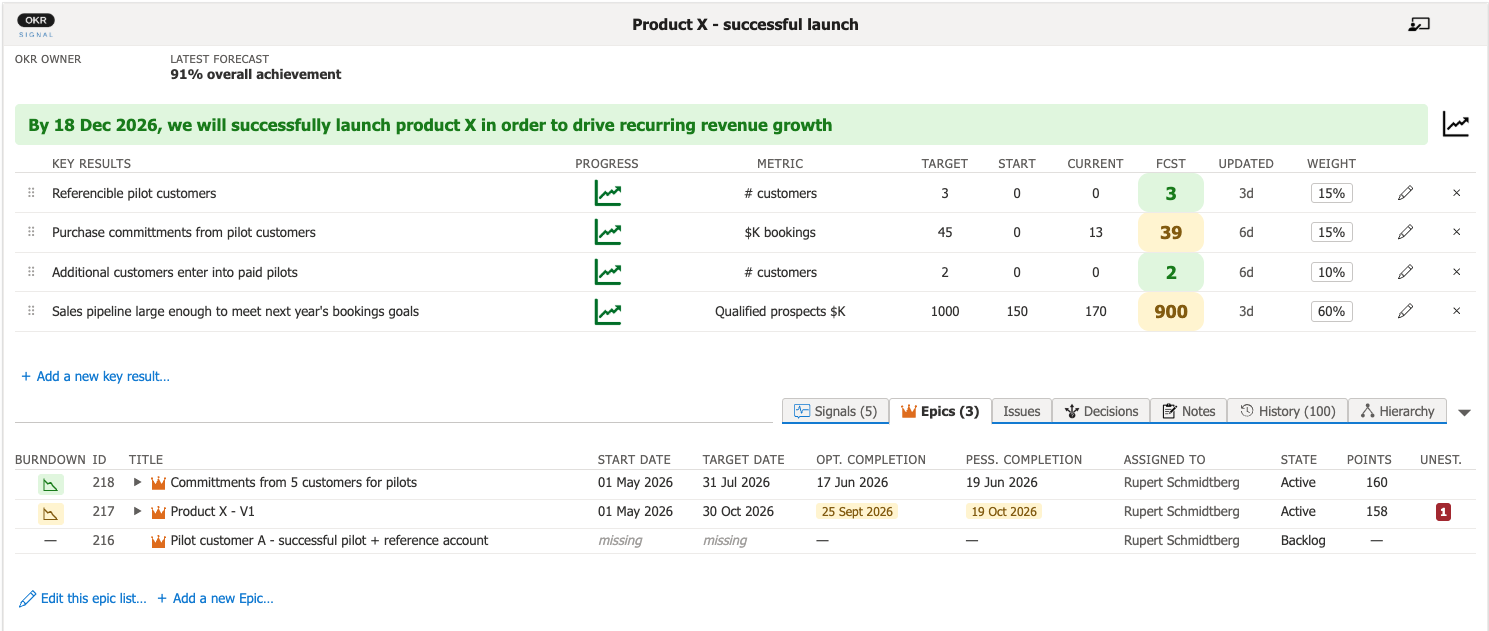
Transparent priorities
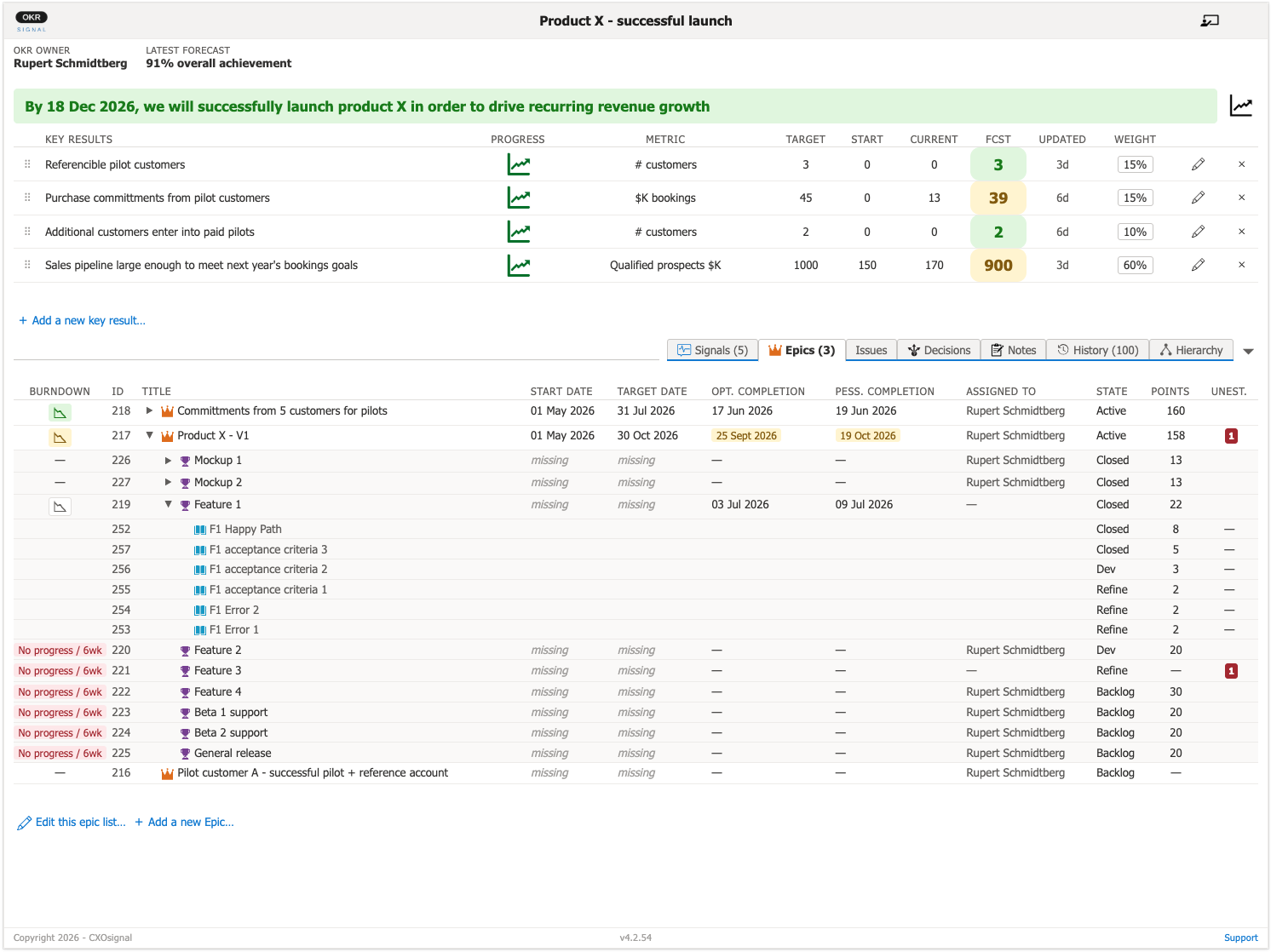
Connect your Epics to show a prioritized list of all work needed to achieve the OKR. Assignees, due dates, and total work estimates are visible for each work item. You can pick from existing Epics or create new ones directly from the OKR dashboard.
Feature 07
Built-in Data Hygiene
OKRsignal ensures that your data is clean and up to date. Data hygiene rules built into Signals proactively broadcast data hygiene issues and provide guidance on how to correct them. The dashboard also highlights data hygiene issues.
Feature 08
Completion date forecasting
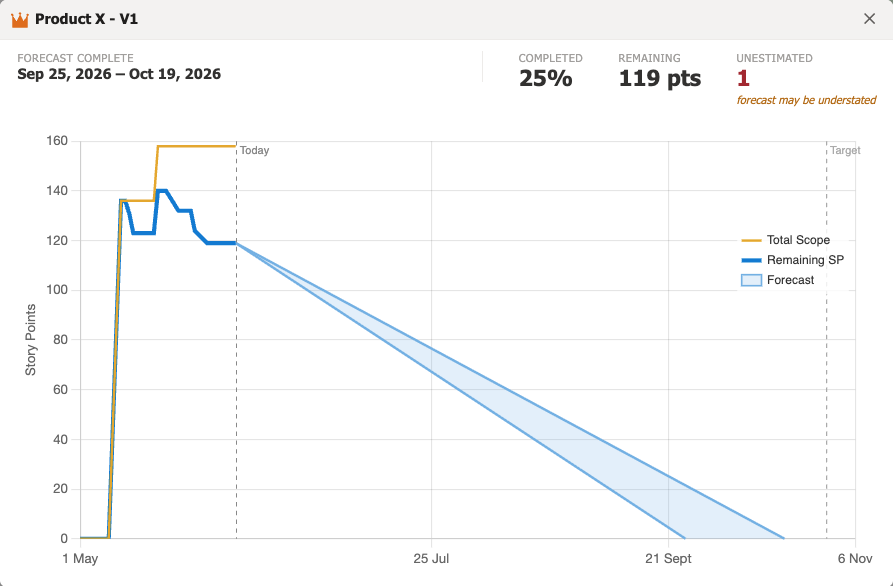
OKRsignal calculates optimistic and pessimistic completion date forecasts for Epics and Features using the actual rate of work completion (velocity). When these drift beyond due dates, OKRsignal sends out notifications and highlights them on the dashboard.
Feature 09
Hierarchy Aware
OKRsignal supports just-in-time hierarchical decomposition of Epics. It automatically traverses the Epic>Feature>Story hierarchy and uses only the leaf nodes to calculate the total amount of work. When Features are decomposed into child Stories, OKRsignal automatically uses the sum of the Story estimates.
Feature 10
Scope creep detection
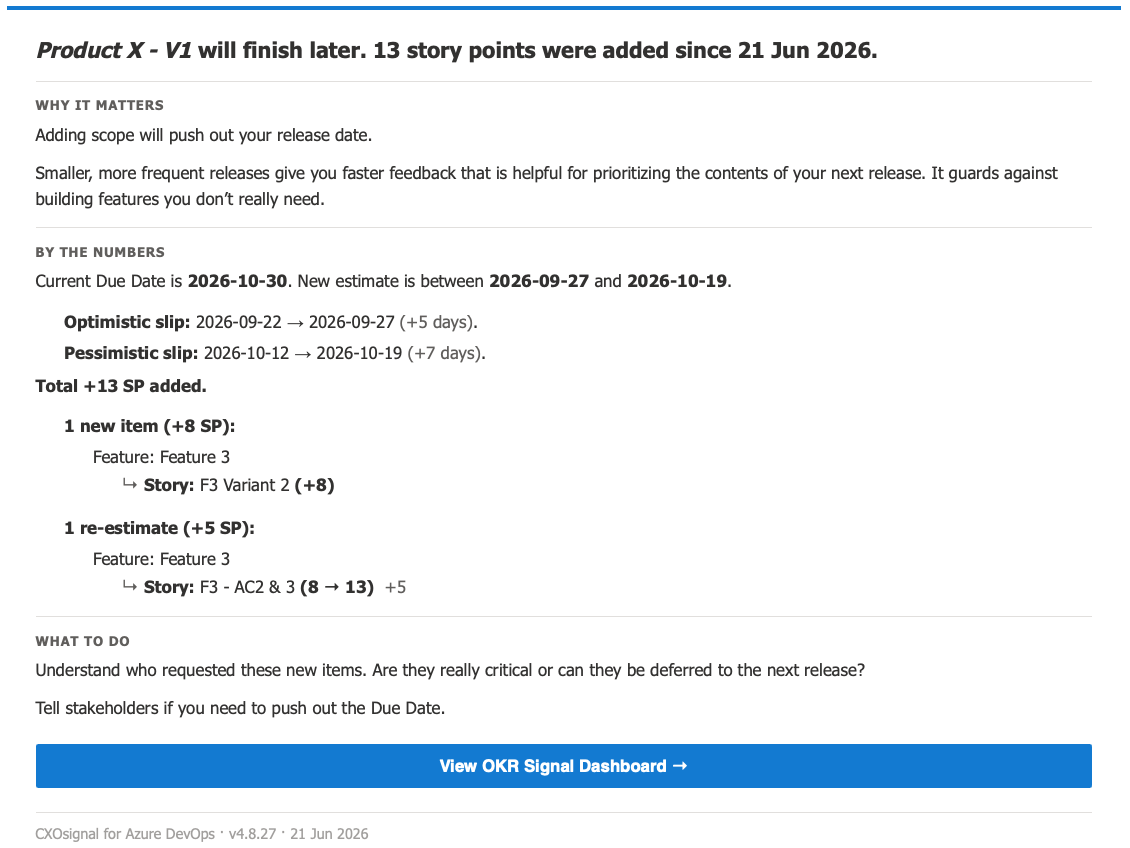
OKRsignal uses Epic and Features burndown charts to show how scope changed over time. Signal templates for scope creep can be used to detect and alert on scope changes.
Feature 11
Impediment/Blocker management
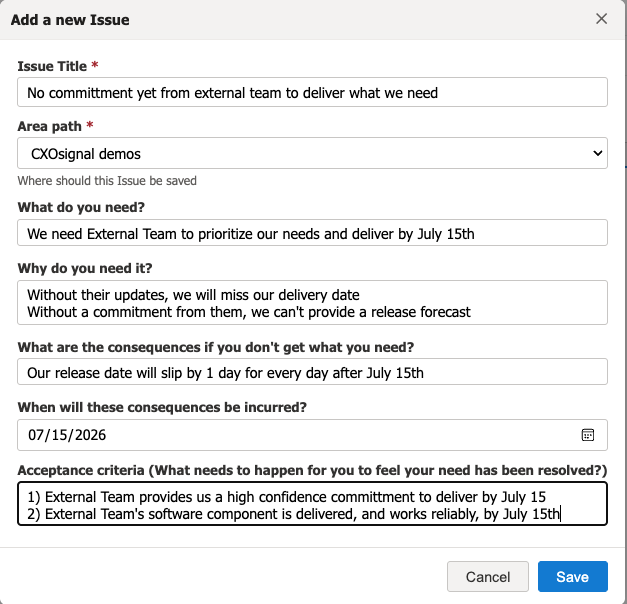
OKRsignal uses Issues to define the impediments or blockers putting your OKR at risk. Signals from the Signal templates library can be enabled to alert when Issues are not being promptly resolved, or don't have an assignee.
Feature 12
OKR Hierarchy
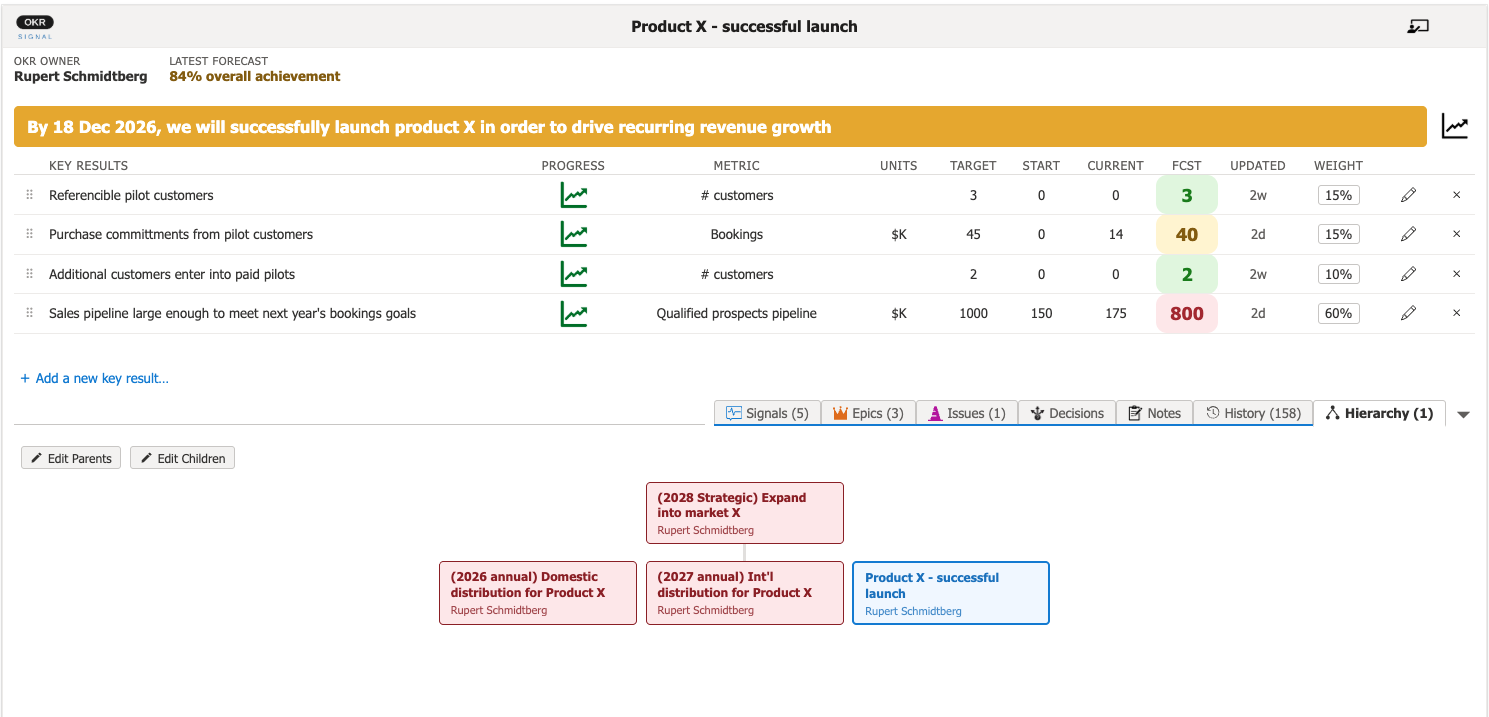
OKRsignal displays parent-child relationships between OKRs. Click on any OKR in the hierarchy to display its details.
Feature 13
Full audit trail
All updates to OKRsignal are logged in a searchable history.